
1. What e-Factura is and when it became mandatory
e-Factura is Romania's national mandatory electronic invoicing system, run by ANAF (the tax authority) through the SPV platform (Spațiul Privat Virtual — the secure private portal). Established under GEO 120/2021 and updated by GO 31/2023, it requires every invoice between companies to go through a standardized XML format (UBL 2.1) transmitted via SPV.
Rollout timeline:
- 2022: mandatory for dealings with public institutions (B2G — Business to Government).
- 1 January 2024: mandatory for all B2B transactions (between companies), regardless of size.
- 2026 — present: enforcement phases and increasing penalties. Reporting deadline in SPV: 5 working days from the invoice issuance date.
For B2C (sales to individuals), e-Factura remains optional. The ANAF-approved fiscal printer continues to issue the tax receipt reported through its own system. The two systems — e-Factura and the fiscal printer — run in parallel, each covering its own transaction type.
2. How ANAF SPV works — full flow
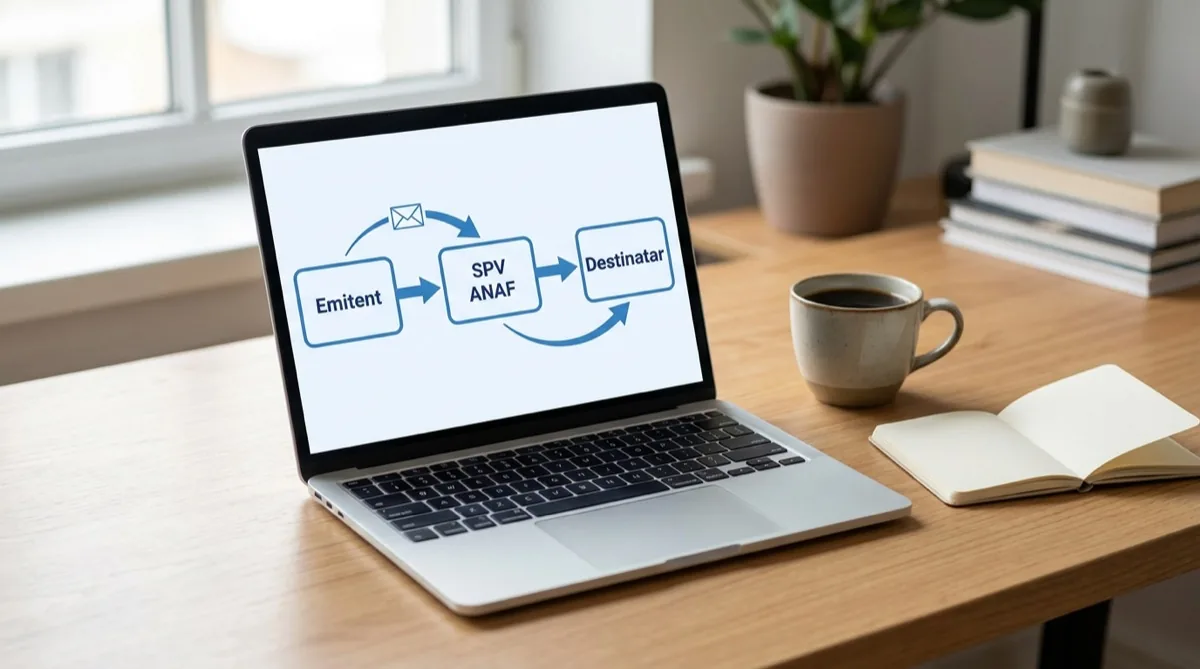
Here's the exact path of a B2B invoice through SPV, step by step:
- Invoice issuance. In your management software you issue the invoice as usual: customer, products, quantities, prices, VAT. The software automatically generates the UBL 2.1 XML format ANAF requires.
- Digital signature. The XML is signed with your qualified digital certificate (eToken or cloud signature). Without a signature, ANAF rejects the invoice.
- Upload to SPV. Your software connects to the ANAF SPV API and uploads the signed invoice. This step takes 2–5 seconds.
- ANAF validation. ANAF checks the XML structure, the issuer's tax ID, the recipient's tax ID, the VAT rates and the totals' consistency. It responds with a message — accepted, or rejected with the error details.
- Confirmation and archiving. An accepted invoice gets a unique SPV identifier (index_incarcare) and is available to both issuer and recipient for 5 years.
- Recipient inbox. The recipient company accesses the invoice through their own SPV (manually or, with an integrated software, automatically) and processes it for goods receipts / accounting.
The full flow, from "save invoice" to "accepted in SPV", takes 5–15 seconds if your management software is properly integrated. Manually (uploading to the ANAF website), it takes 3–5 minutes per invoice.
3. Digital certificate — what you need
To send invoices to SPV you need a qualified digital certificate issued by an authorized provider in Romania. The best-known ones:
| Provider | Type | Annual price (indicative) | Recommended for |
|---|---|---|---|
| certSIGN | USB eToken or cloud | 290–450 RON | Most widely used, decent support |
| DigiSign | USB eToken | 250–380 RON | Lower price, Windows signing |
| Trans Sped | USB eToken | 280–400 RON | Good for accountants (they know the system well) |
| AlfaTrust | USB eToken or cloud | 270–420 RON | Convenient cloud option |
| CertEurope | USB eToken | 300–500 RON | International brand |
Issuance takes 3–5 working days: you fill in an online application, send a copy of your ID + a Trade Register extract, pay the invoice, and receive either the physical eToken by courier or the credentials for cloud signing.
Once you have the certificate, two steps in SPV:
- Enroll in SPV — on the ANAF website, in the SPV section, choose "Legal entity" and authenticate with the certificate. About 10 minutes.
- Authorize your management software — in SPV, go to "API applications" and grant access to your software (Conexa or another tool) to send invoices on the company's behalf. This authorization is valid for 1 year, then needs renewal.
4. Automatic goods receipts from inbound e-Invoices
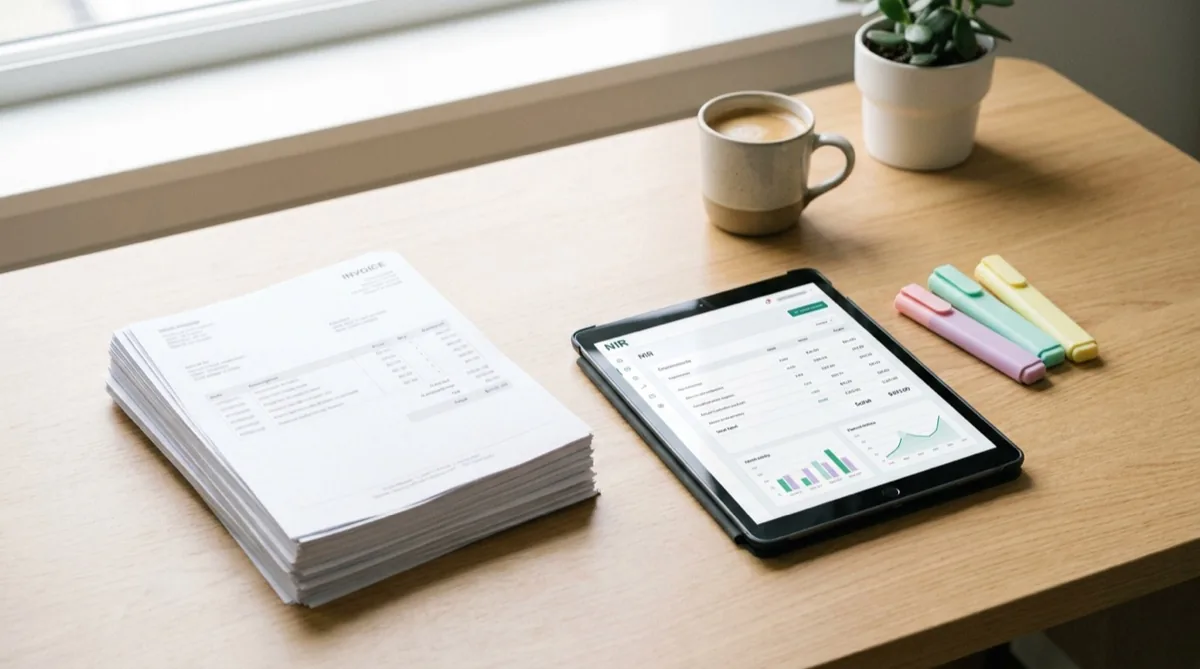
The biggest win from e-Factura isn't on the sending side — it's on receiving. Here's what that means in practice:
Without e-Factura: when goods arrive from a supplier, you get the invoice on paper or PDF. Someone copies it into your management software line by line: product code, name, quantity, price, VAT. For a 60-line invoice, that's 25–40 minutes. Errors are common (transposed digits, wrong codes).
With an e-Invoice received via SPV: the management software downloads the XML automatically, identifies products by code (EAN or supplier code) and creates the goods receipt note with all the details — quantity, price, VAT, receipt date. For new products (without a mapping to your catalog), the software shows a list you confirm once. The same 60-line invoice: 30–60 seconds.
- Automatic identification by code The EAN code or supplier's internal code in the XML matches your catalog. Known products land without any intervention.
- Mapping new products New products are listed for confirmation. You either create them or link them to existing products with one click. The mapping is saved for the future.
- Automatic purchase-price update The purchase price on the invoice updates the cost of the product. Your margin recalculates automatically — you see right away if a supplier has raised prices.
- Alert on suspicious price changes If a price jumps by more than 10% from the last receipt, the software shows an alert so you can double-check (it may be a typo, not a real increase).
5. Penalties for non-compliance — concrete figures

Under GEO 120/2021 and GO 31/2023, penalties for missed or late SPV reporting depend on company size:
| Company category | Revenue | Penalty per invoice |
|---|---|---|
| Large | above €50M | 5,000 – 10,000 RON |
| Medium | €10M – €50M | 2,500 – 5,000 RON |
| Small | below €10M | 1,000 – 2,500 RON |
Penalties apply per invoice, not once per period. A small company that issues 50 B2B invoices in a month and "forgets" to put them in SPV can be fined 50,000–125,000 RON in a single inspection.
Beyond fines, non-compliance hurts your B2B relationships: if you don't send an invoice through SPV, your customer can't process it. Bigger suppliers increasingly refuse paper invoices — you risk losing clients.
6. How to integrate e-Factura with your software
Three ways to send e-Invoices, in order of effort:
- Manual via SPV web Generate the invoice in your software, export XML, log into the ANAF site, upload the file, sign with the certificate. 3–5 minutes per invoice. Only recommended for companies with fewer than 5 B2B invoices per month.
- XML export module in your management software Your software exports a compliant XML file, but you do the SPV upload manually. 1–2 minutes per invoice. Acceptable for 5–20 invoices per month.
- Full API integration (recommended) Your management software connects directly to the SPV API. When you issue the invoice, everything happens automatically: XML, signature, upload, confirmation. 5–15 seconds, no effort on your side. Recommended for any volume.
Conexa runs a full API integration with ANAF SPV from the Pro plan. In practice: you issue the invoice as usual, and the software uploads it to SPV in the background. Same on the receiving side — supplier invoices appear in the inbound list, ready to become a goods receipt note with one click.
- Automatic e-Invoice issuance on save
- Real-time status: sent / accepted / rejected (with the reason)
- Automatic download of inbound e-Invoices (refresh every 15 minutes)
- Automatic goods receipt note from XML with product mapping
- 5-year archive per ANAF regulations
- One-click resubmission of rejected invoices after correction
7. Frequently asked questions
Since when is the Romanian e-Invoice mandatory via ANAF SPV?
For B2B transactions (between companies), e-Factura via SPV has been mandatory since 1 January 2024 for all companies in Romania. For B2C (sales to individuals) it remains optional, and the fiscal-printer tax receipt covers the obligation. For dealings with public institutions (B2G) it was already mandatory from 2022.
What are the penalties for failing to report e-Invoices?
1,000–2,500 RON for small companies (revenue below €10M), 2,500–5,000 RON for medium, 5,000–10,000 RON for large. The penalty applies per invoice not issued / not delivered through SPV within 5 working days.
What digital certificate do I need for ANAF SPV?
A qualified digital certificate, either eToken or cloud-based, issued by an authorized provider: certSIGN, DigiSign, Trans Sped, AlfaTrust or CertEurope. Annual cost: 250–500 RON. With the certificate you enroll in ANAF SPV and authorize your management software to send invoices on your behalf.
How does the automatic goods receipt work from an inbound e-Invoice?
Your supplier sends the invoice to SPV. The management software (e.g. Conexa) downloads the XML automatically, identifies products by code, creates the goods receipt note with the received quantities and prices and updates stock. For 50–100 lines, it takes 30 seconds instead of 30 minutes.
Do I still need a fiscal printer if I use e-Factura?
Yes. A fiscal printer is required for sales to individuals (B2C) — it issues the tax receipt reported separately to ANAF through its own system. e-Factura is for B2B transactions (between companies). The two systems run in parallel; Conexa integrates them both into a single flow.
How long does it take to implement e-Factura through Conexa?
For a store that already has an SPV certificate: 1–2 hours (connect the certificate, authorize the application, test with a proforma invoice). If you don't have a certificate yet, you get one first (3–5 working days), then connection still takes 1–2 hours. Implementation is included in Conexa onboarding.
Want to see exactly how e-Factura works in Conexa?
20 minutes, online or on-site, no pressure. We'll walk you through the real flow — issuing a B2B invoice, automatic signing, SPV upload, supplier inbox, automatic goods receipt — on the account of a company that's running right now.
Book a demoRead next
- Tablet POS for retail stores — Android, iPad and fiscal printers
- Complete guide: How to choose POS software for a store
- Retail page — all Conexa features for stores
- Book an e-Invoice demo
Conexa is POS and business management software developed since 2014, with 1,200+ active businesses in Romania. The Pro plan includes a full API integration with ANAF SPV for automated e-Invoicing.