Available now on


Run everything from one system — not 4 separate apps
Floor plan, recipes, ingredient inventory, daily reports — all in sync. You ring up an order at the table and stock drops automatically. No handwritten notes, no surprises at inventory time.
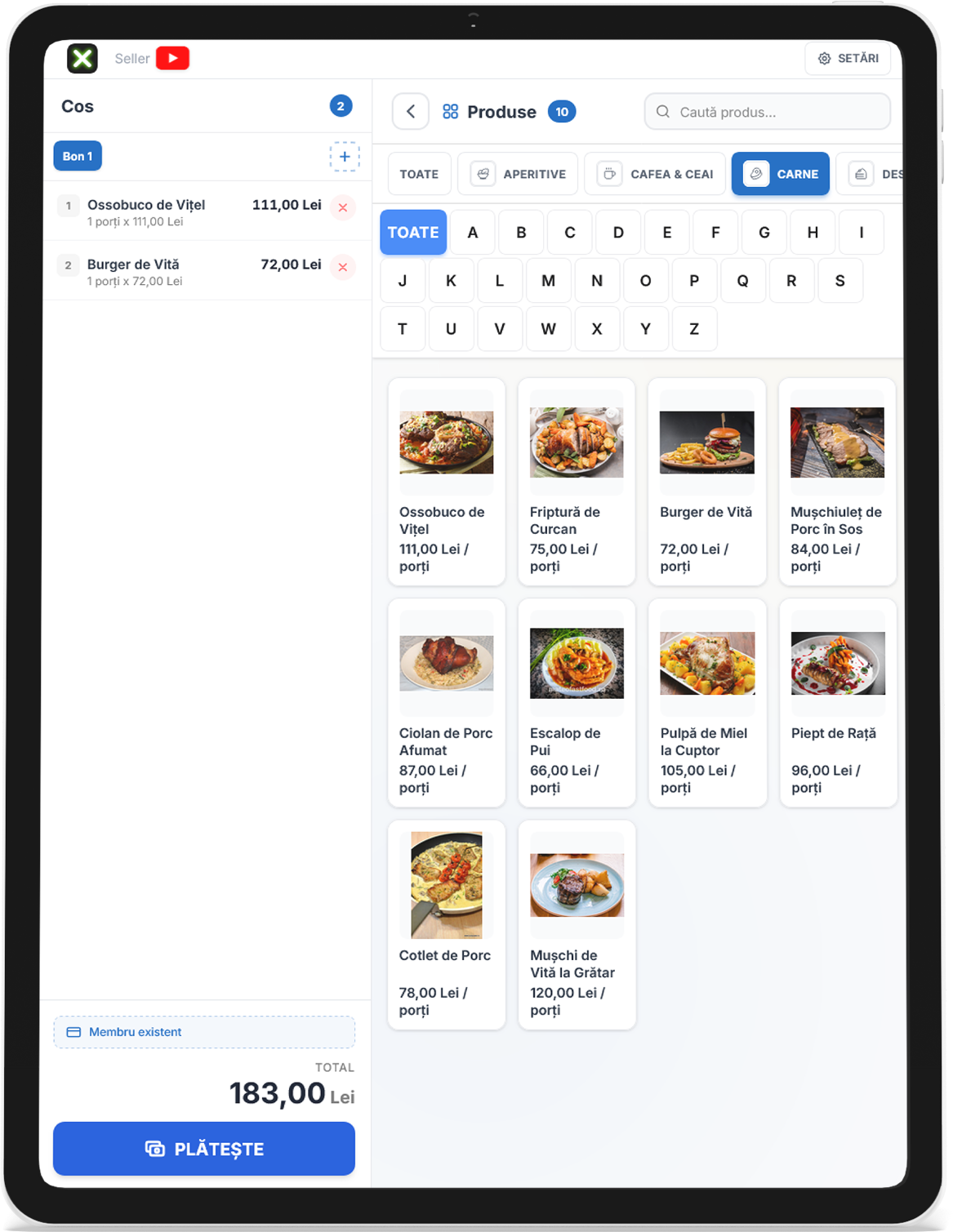
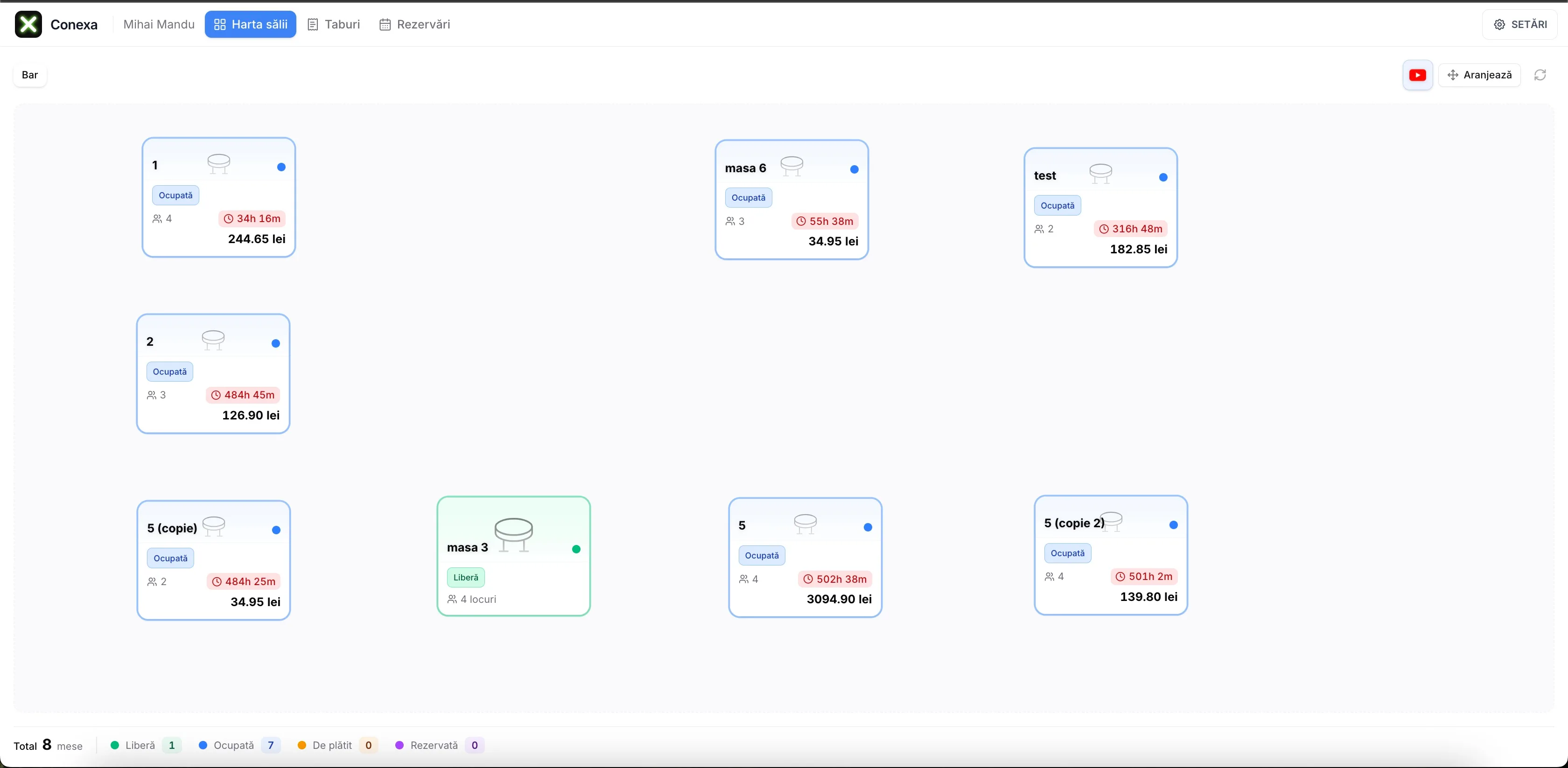
Table-aware POS with visual floor plan
See every table at a glance — its status, how many guests, how long they've been seated. Orders fly straight to the kitchen.
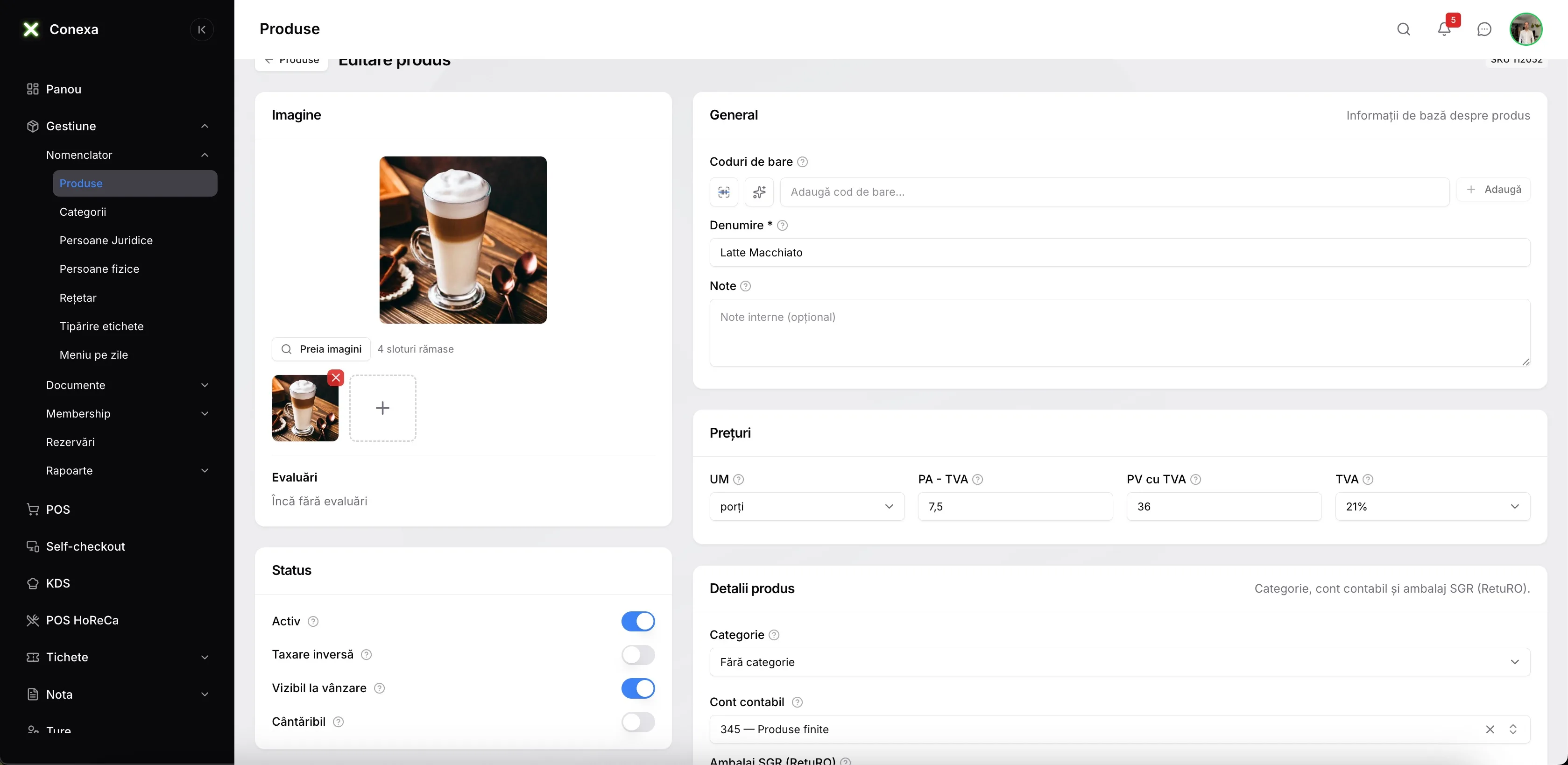
Recipe and food cost management
Enter recipes with exact weights. The software calculates production cost per dish and overall food cost automatically.
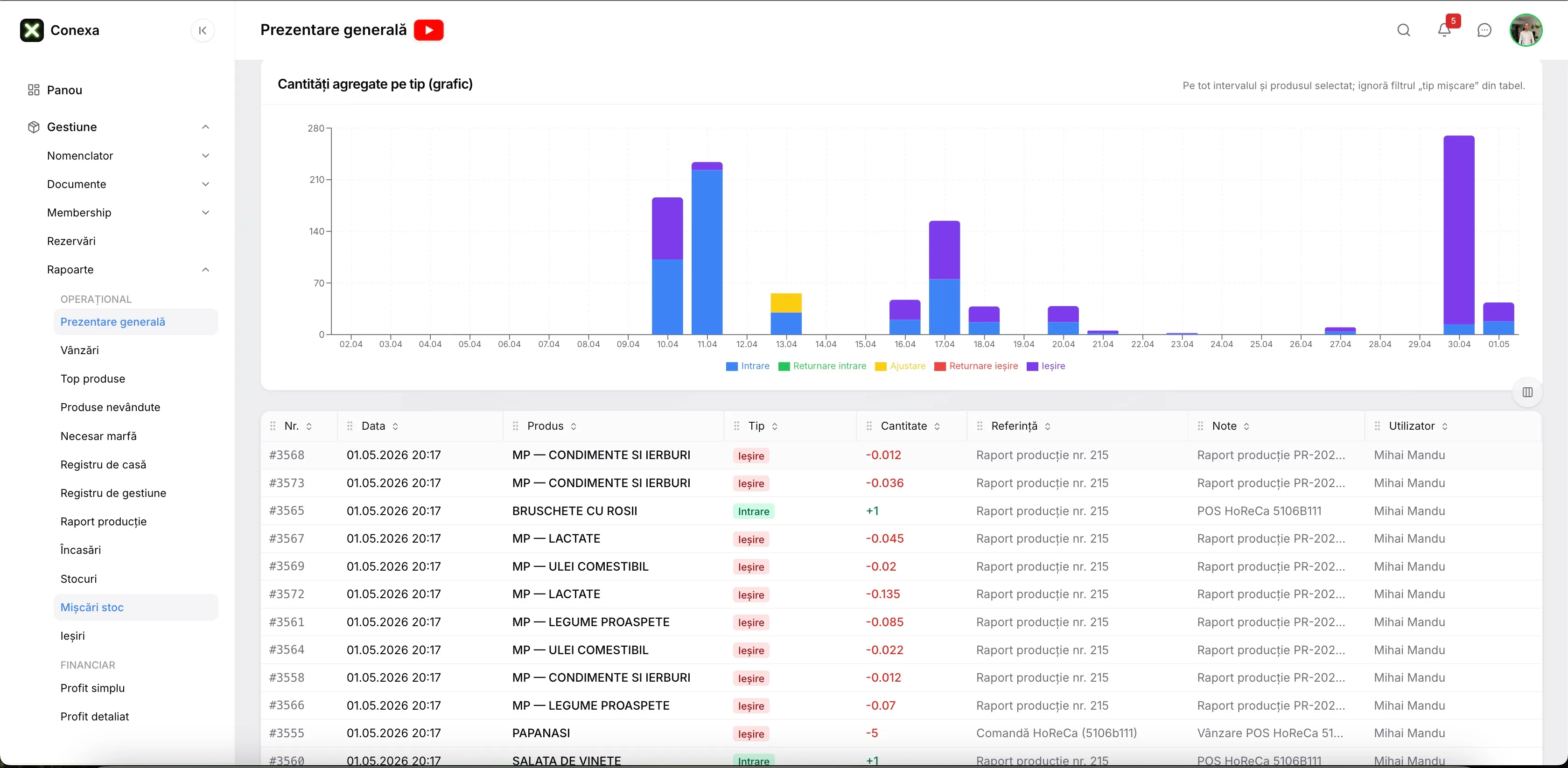
Ingredient inventory in real time
With every order, ingredient stock drops automatically. Get an alert when an ingredient runs low.
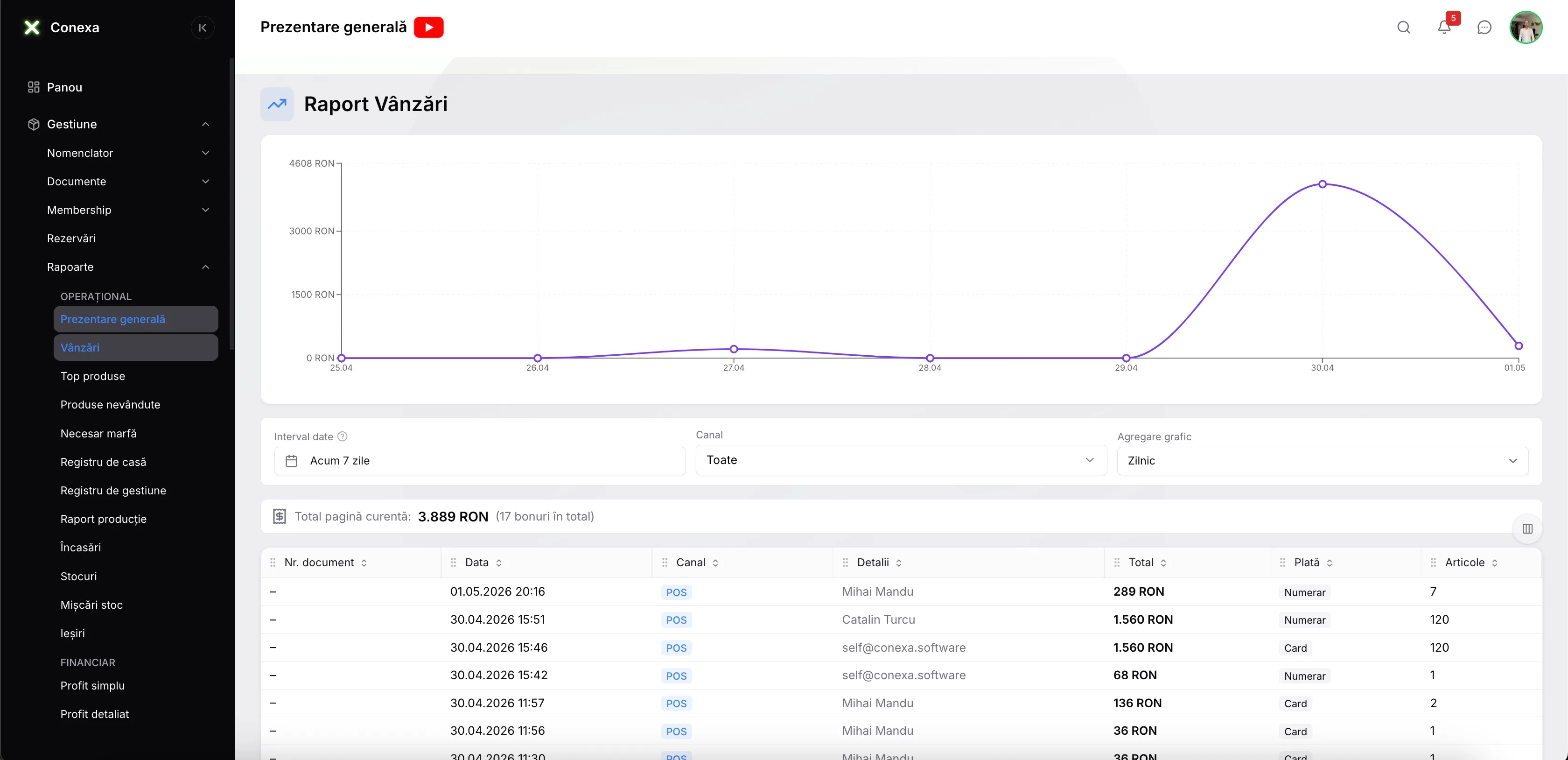
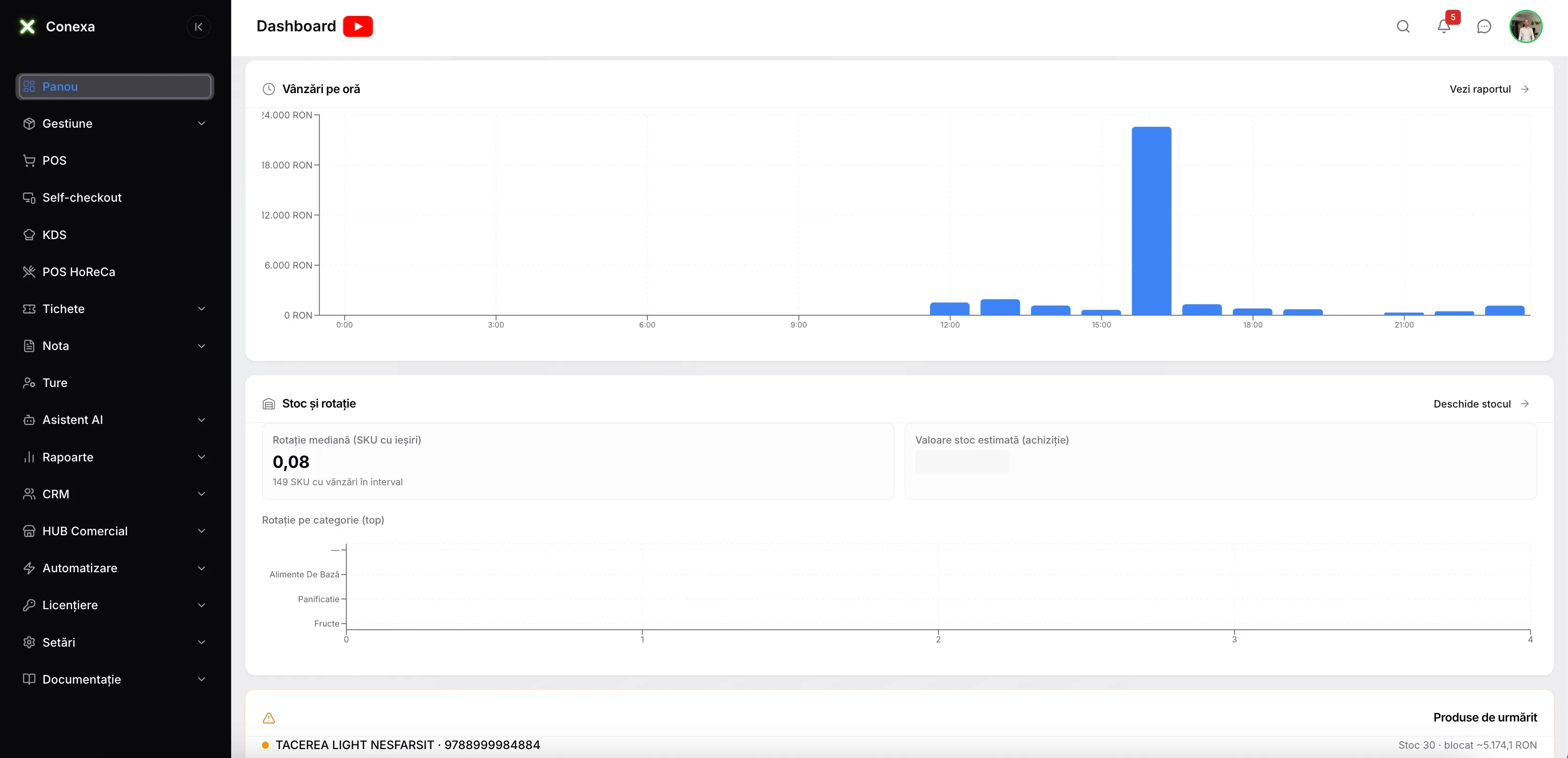
Advanced sales reports
What sells best, which hours are busiest, which waiter brings in the most revenue — all on your phone.
Fiscal receipts and invoicing
Fiscal receipts through the cash register, invoices for corporate clients. Romanian e-Invoice (e-Factura) available in the Pro plan — all from the same system.
Staff and shift management
Clock-in, shift management, per-employee reports. You know exactly who worked when and how much each one sold.
Where restaurant profit leaks — and how to plug it
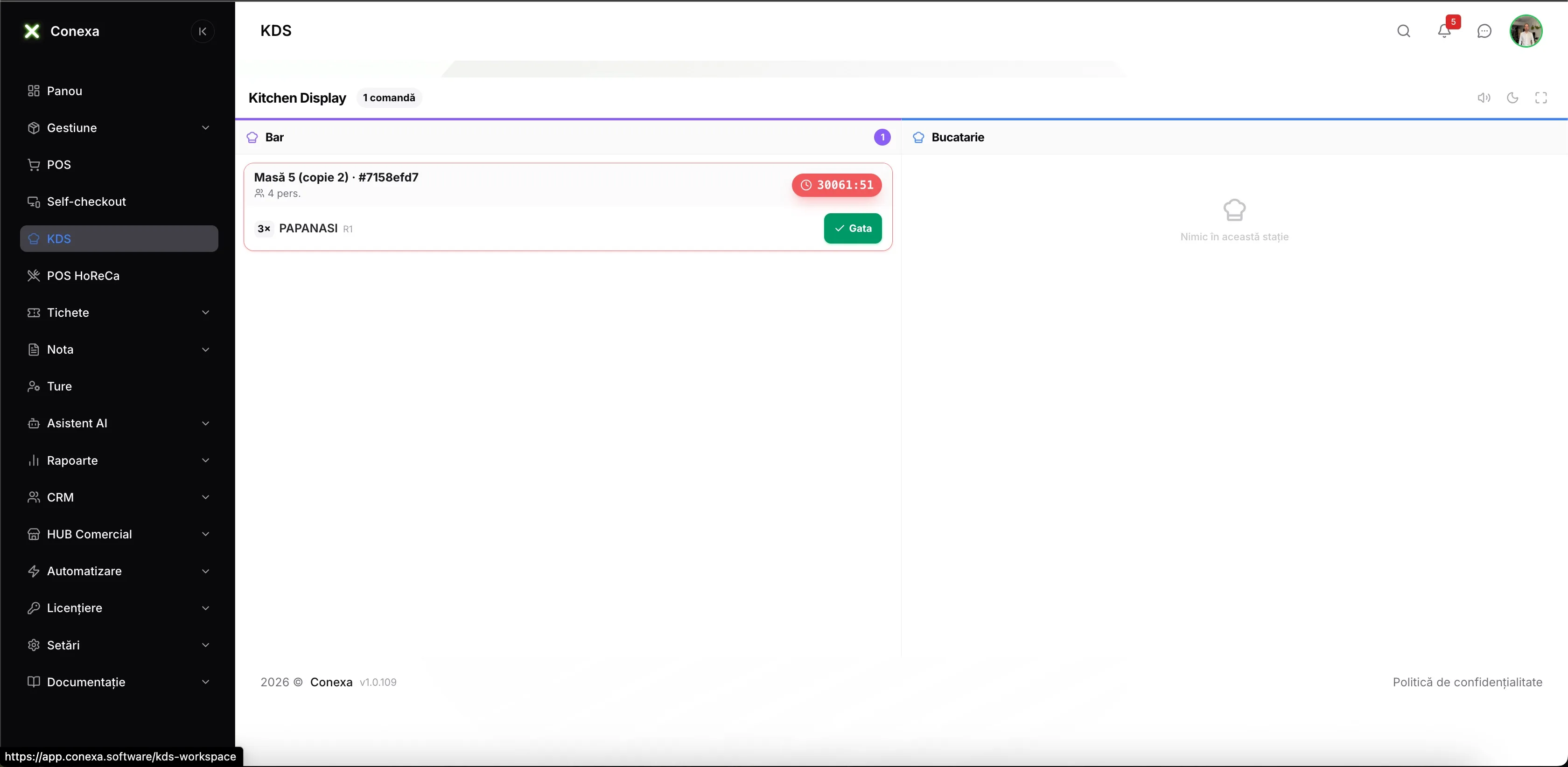
KDS — orders land in the kitchen instantly
Items appear on the right station screen (bar, grill, pizza) the moment the order is sent. No more shouting and no more lost tickets.
Waiters take orders right at the table
The waiter's tablet or phone becomes the ordering terminal. Items hit the kitchen instantly — no trips to the register, no handwritten slips.
Multiple waiters, each on their own tables
Every waiter has their own account, sees the orders for their assigned tables, and works in parallel with the rest. At the end of the shift you know exactly how much each one sold.
Guests order themselves — QR or kiosk
Scan the QR code at the table, browse the menu and order from your own phone. Or use the kiosk by the entrance. Shorter waits, faster table turnover.
Courses come out in order, not at random
Salad before the main, dessert at the end — the system sends to the kitchen in configurable courses, no verbal coordination needed.
Split the bill exactly the way guests want
Equal split by number of people or per item — each guest pays for what they ordered, with their preferred payment method.
Daily specials live in seconds
Turn on the day's items right from the app and they appear immediately on every device in the venue and on the digital menu. No verbal announcements.
Recipes wired into your inventory
Define every dish recipe with exact ingredients and weights. With every sale, those ingredients are deducted from stock automatically. You see the real cost per dish.
Visual priority in the kitchen
Orders waiting too long turn red automatically on the KDS. The chef knows what's urgent without asking — no need to involve the floor manager.
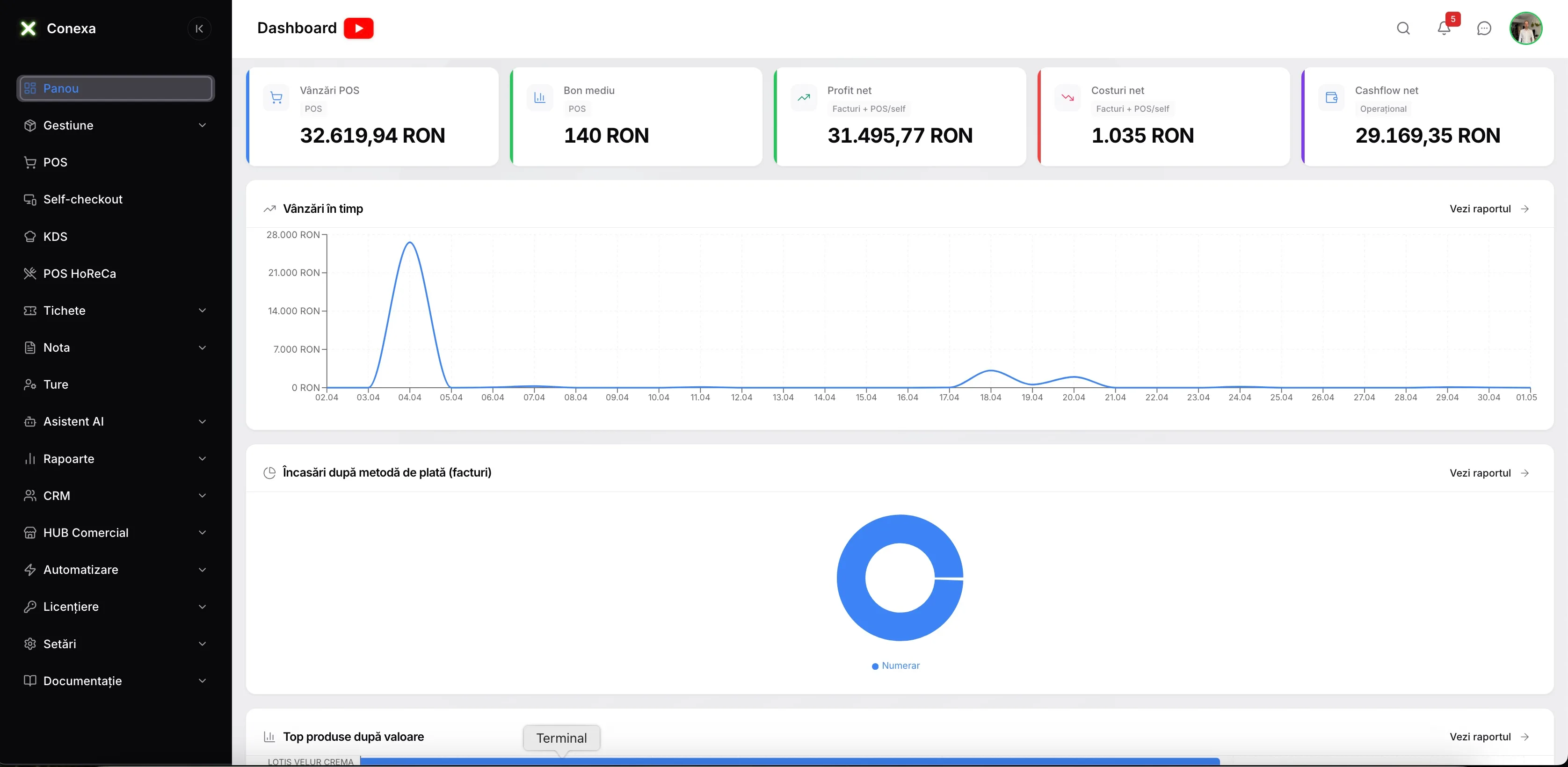
22 reports. Decisions made from real numbers.
Know which dishes actually drive profit, which hours are busiest, and how much each waiter sold — without being on site.
- Overview
- Sales
- Top products
- Production report
- Daily cash log
- Ingredient inventory
- Stock movements
- Payments received
- Simple profit
- Detailed profit (food cost)
- Operating cashflow
- Customer statement
- Supplier statement
- Employee performance
- Sales by hour
- Average ticket
- Customer evolution
- Stock losses
- Product correlations
- Sales forecast
From zero to live in 2 days
We don't shut your restaurant down. Our team handles the whole transition — setup, data import, training — while you keep serving customers.
Discovery call
We look at how you run today — floor plan, menu, headcount
System setup
We load the menu, recipes, floor plan and opening stock.
Team training
A new waiter picks it up in 10 minutes without interrupting table service — the interface is intuitive and available in English and Romanian.
First real day
You serve, we're on standby. Tech support in English and Romanian from day one.
A restaurant owner. Before and after.
"Before, we used a generic tool that didn't understand restaurant specifics. No table management, no real food cost, ingredient inventory was a mystery. With Conexa, I see it all — tables, recipes, inventory, reports. Onboarding took 2 days and the team picked it up quickly."
Questions everyone has before deciding
For the full breakdown — 7 essential features, 5 hidden costs, and 6 demo questions — read the complete restaurant POS software guide.
Can I access the software from my phone or from home?
How many tables can I manage in the floor plan?
Can it integrate with delivery apps (Glovo, Tazz)?
Do I need special hardware?
How much does it cost for a restaurant?
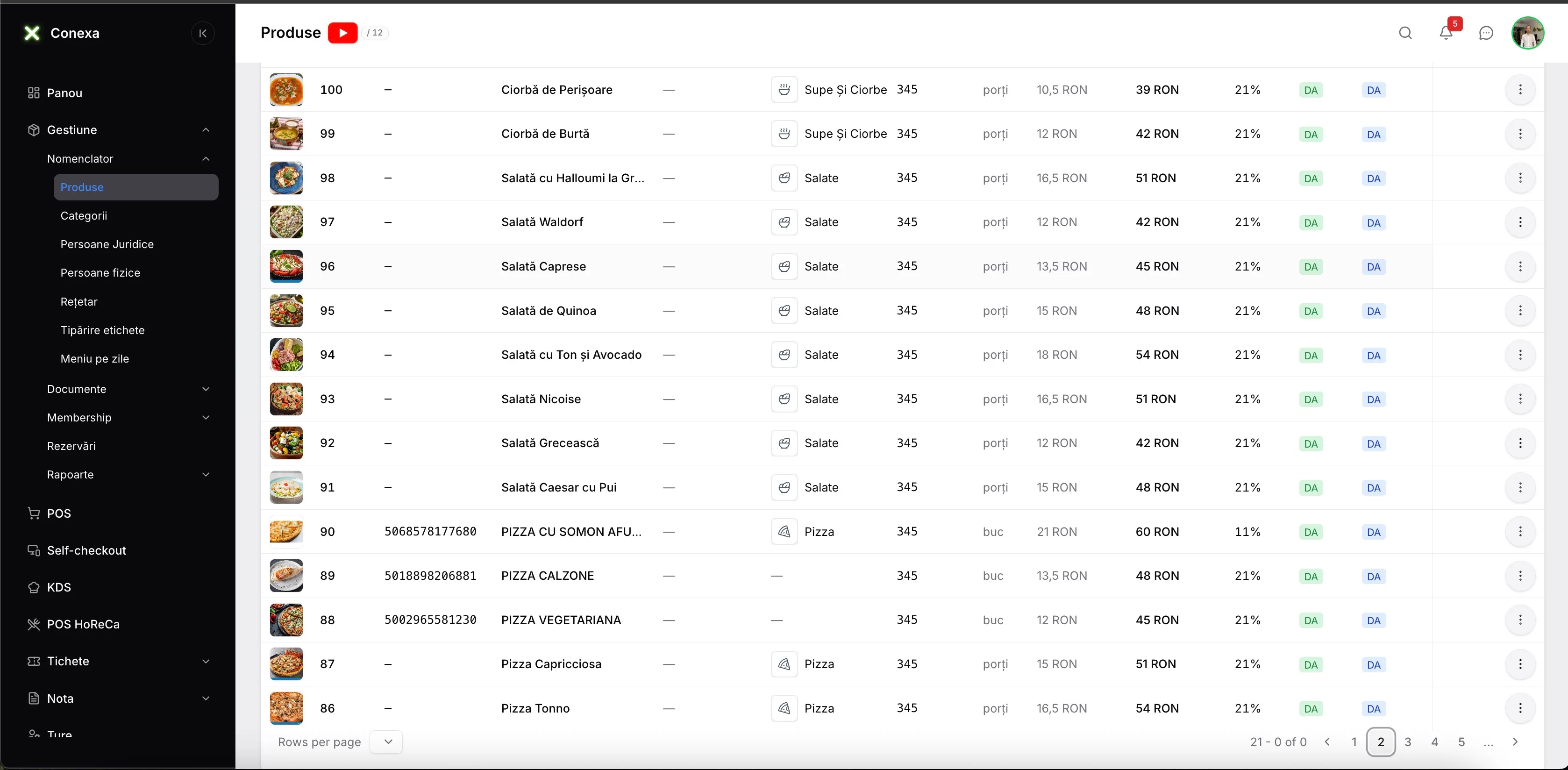
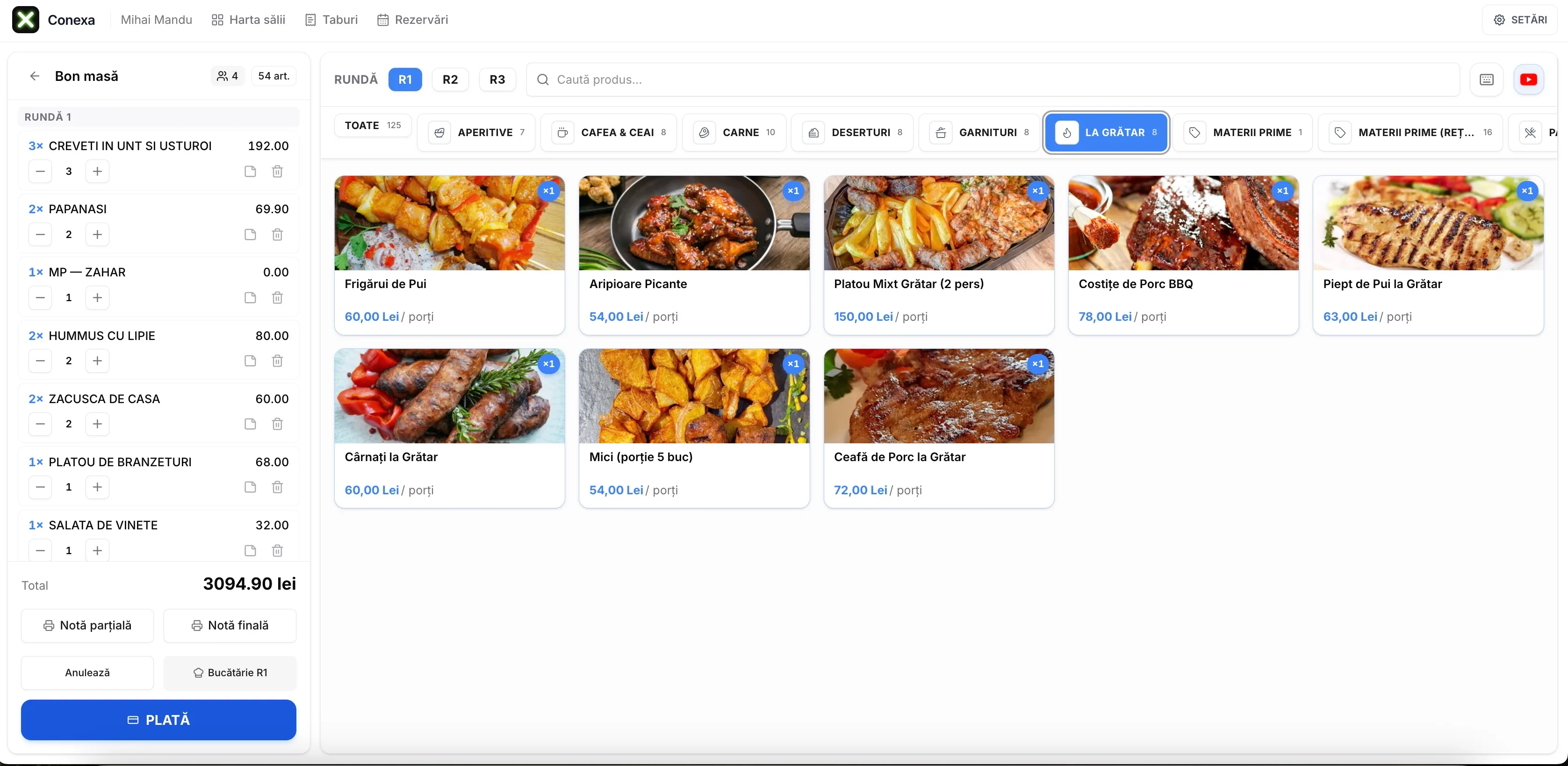
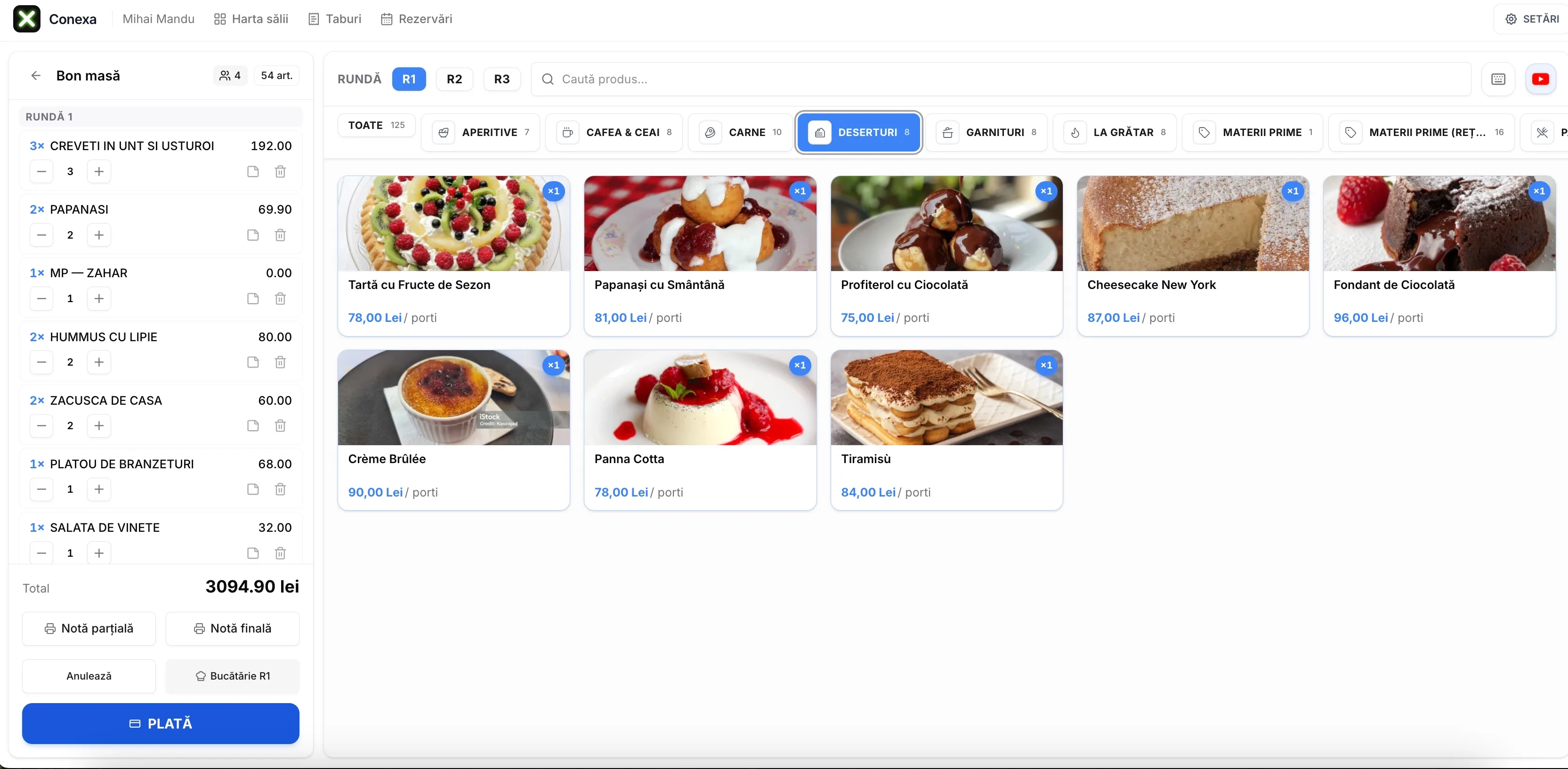
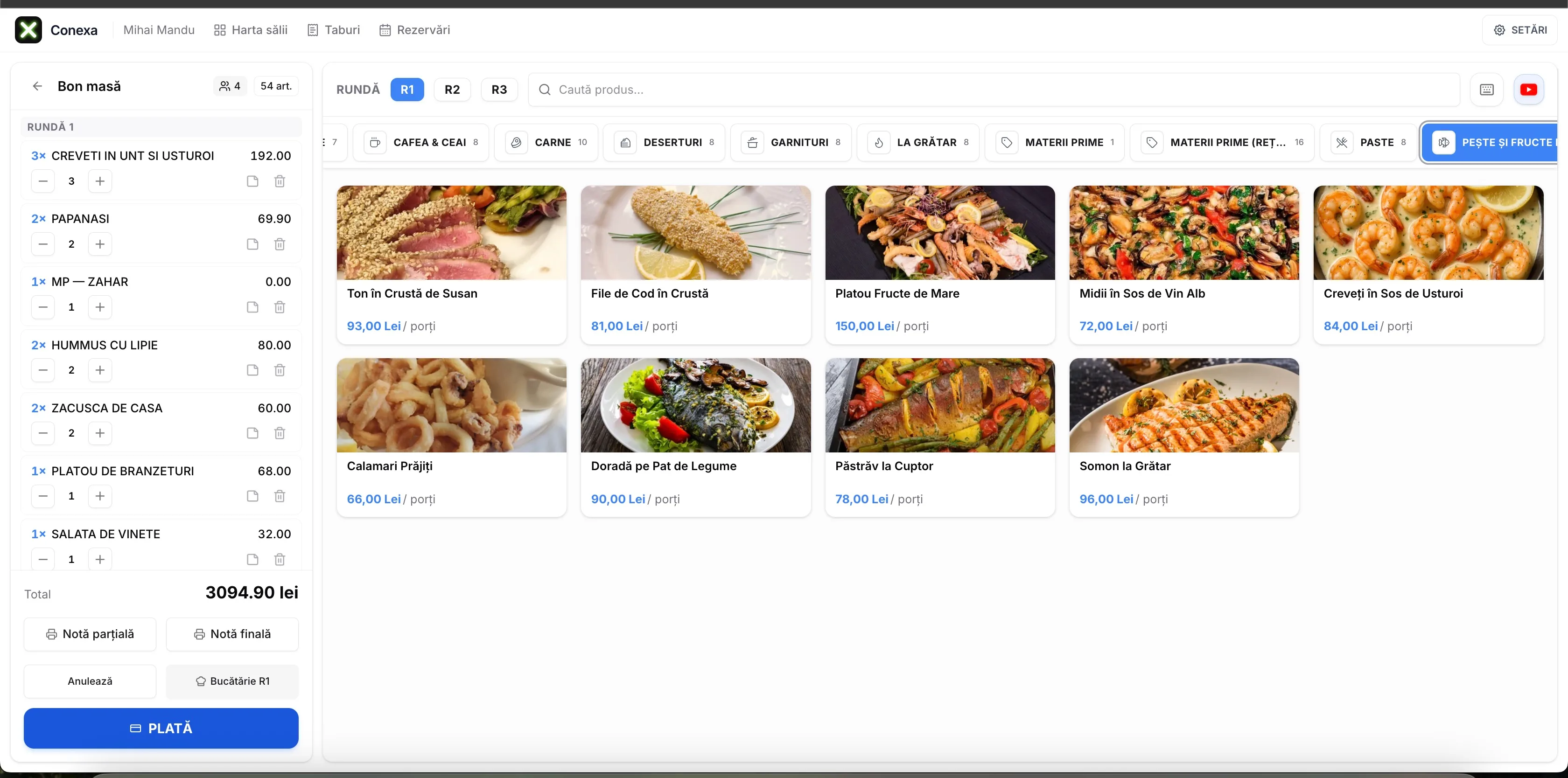
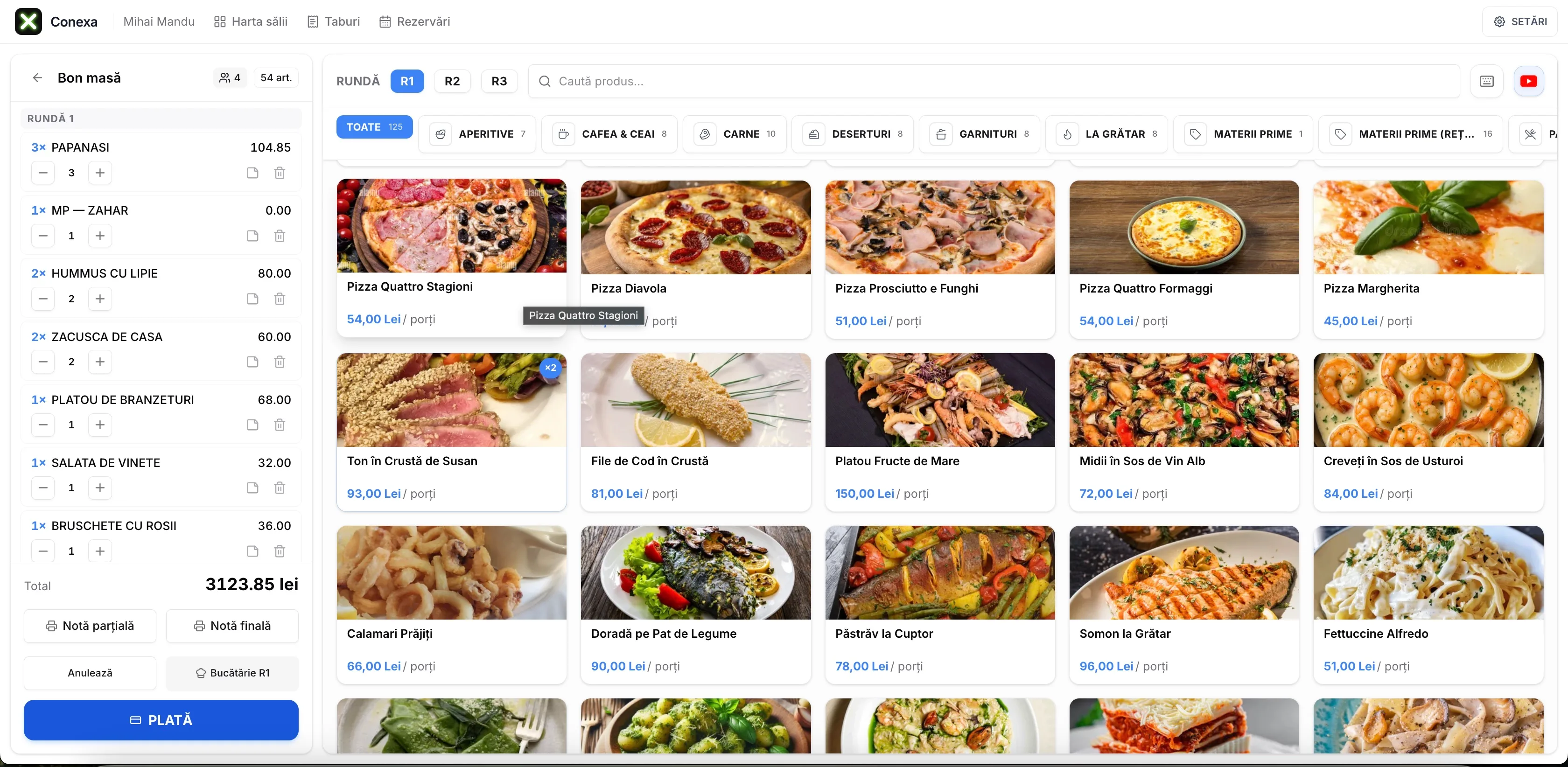
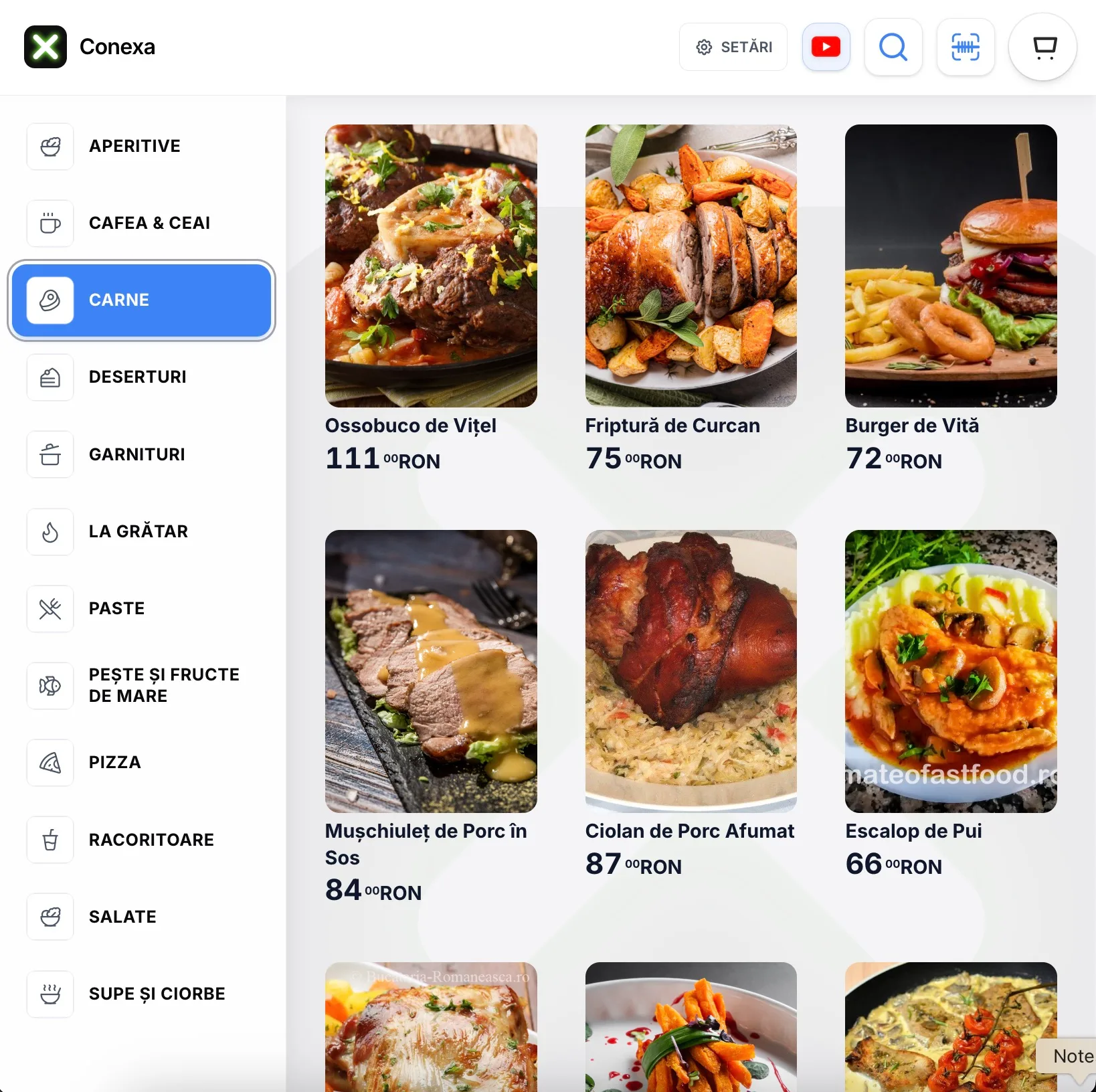
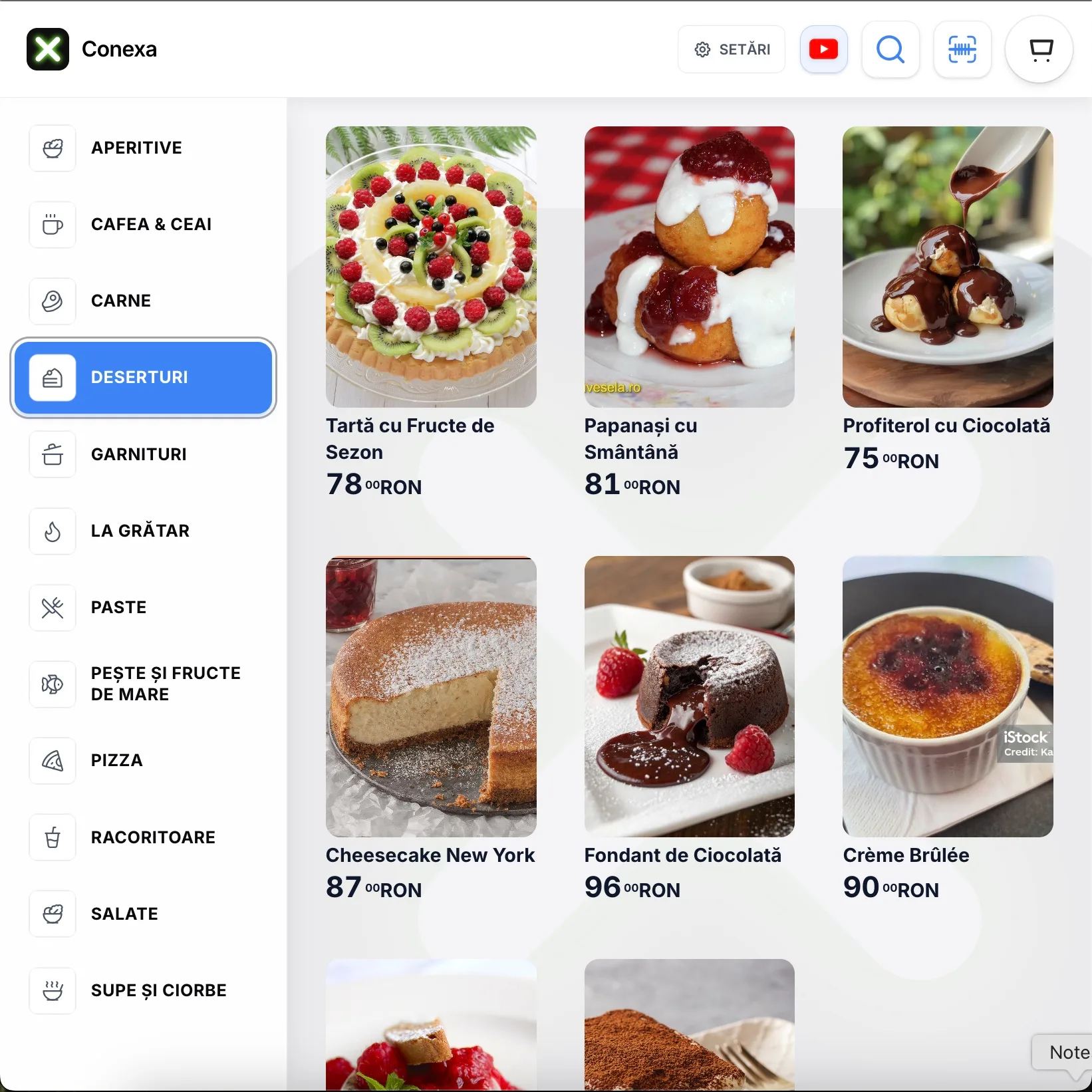
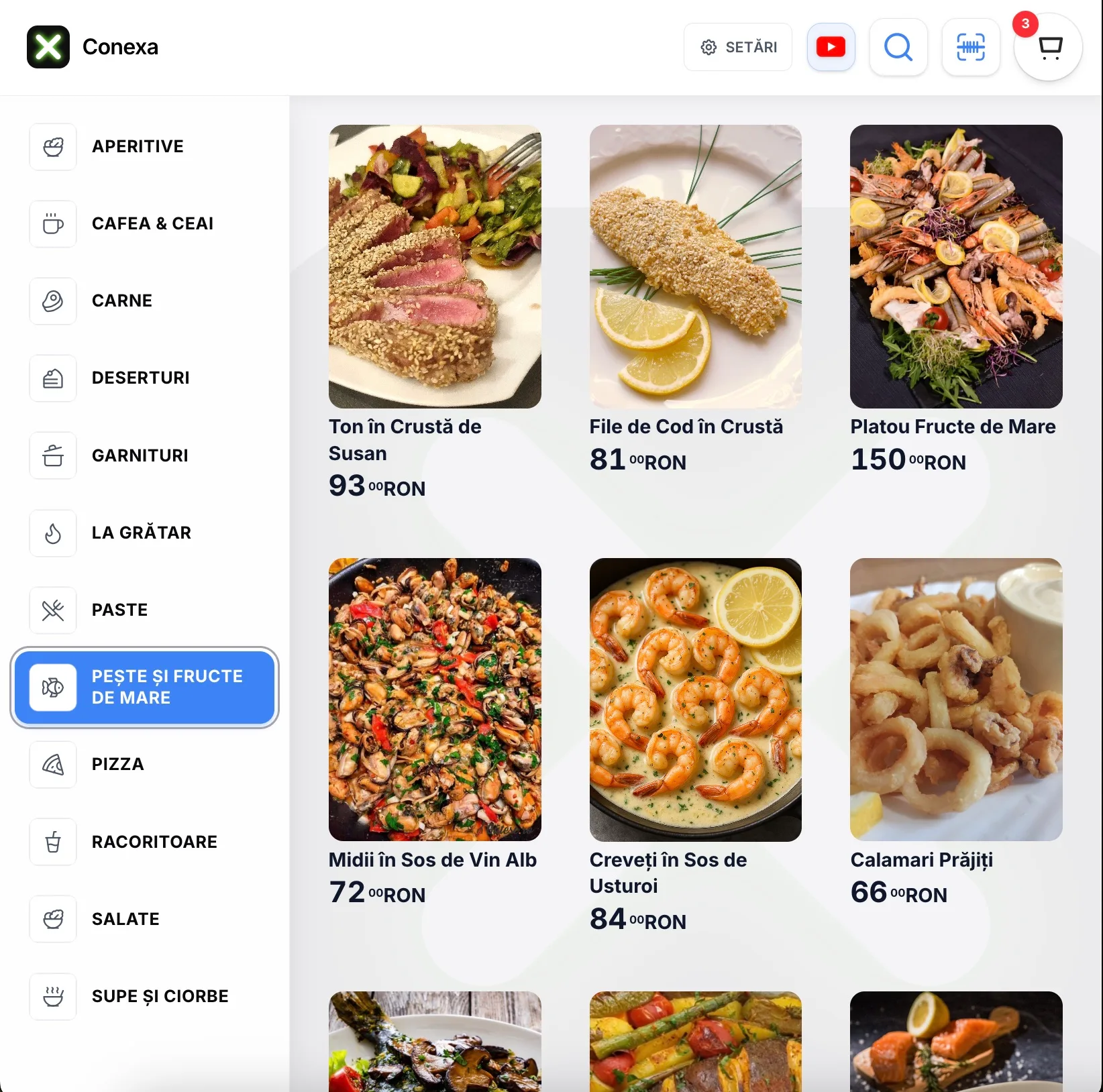
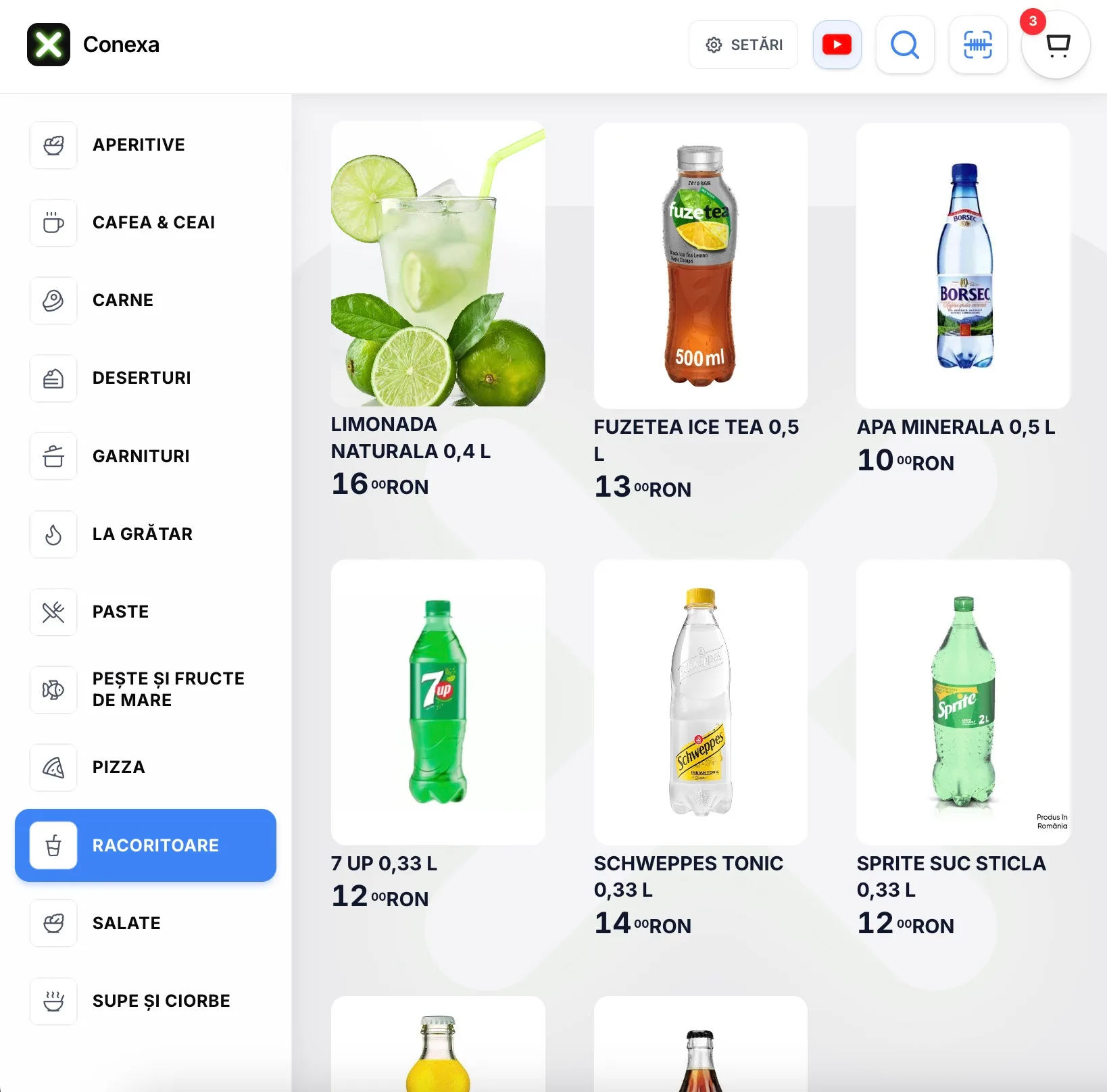
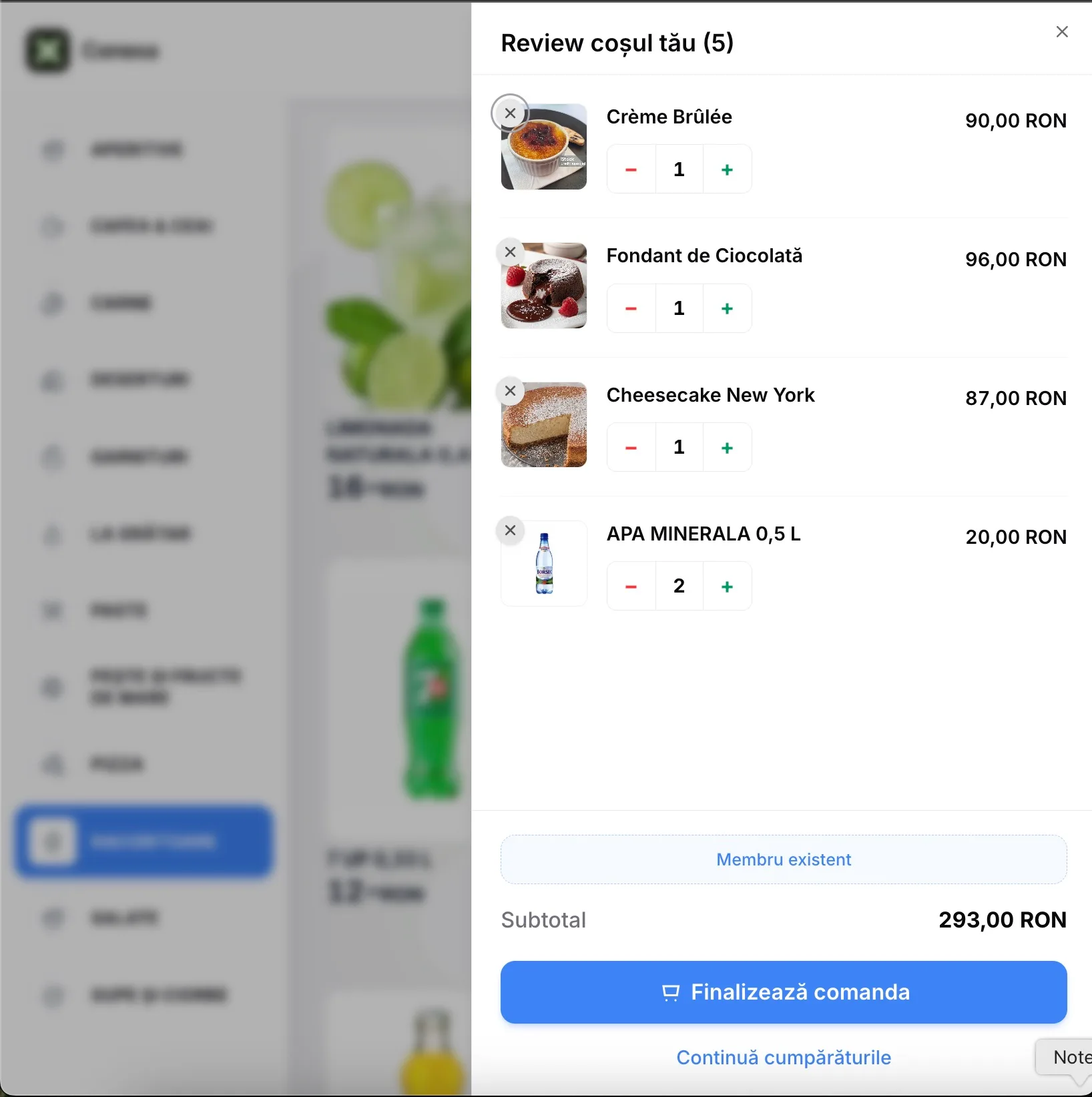
What Conexa looks like in practice
Not mockups. Screenshots from the live app, used daily by hundreds of restaurants in Romania.
First step is simple: 5 minutes with a specialist
Food cost ignored, ingredients lost without anyone noticing, orders that arrive at the wrong table. All of that happens without a complete system. First step: 5 minutes with a specialist who shows you exactly what changes in your restaurant — no pressure, no hard sell.
No long-term contract · Assisted onboarding included · Support Mon–Fri 09:00–17:00 EET/EEST